How to Fix the c2r64.dll Error in Office

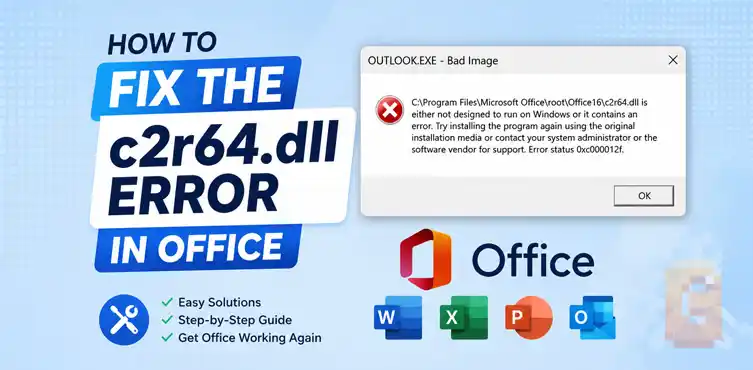

If you’re seeing the error “c2r64.dll is either not designed to run on Windows or it contains an error,” the problem is usually a corrupted Microsoft Office Click-to-Run installation. While Office Repair often helps, one of the most reliable fixes is stopping the Click-to-Run service, renaming the ClickToRun folder, and running the Office installer again to rebuild the entire Office runtime from scratch.
c2r64.dll Is Either Not Designed to Run on Windows or It Contains an Error
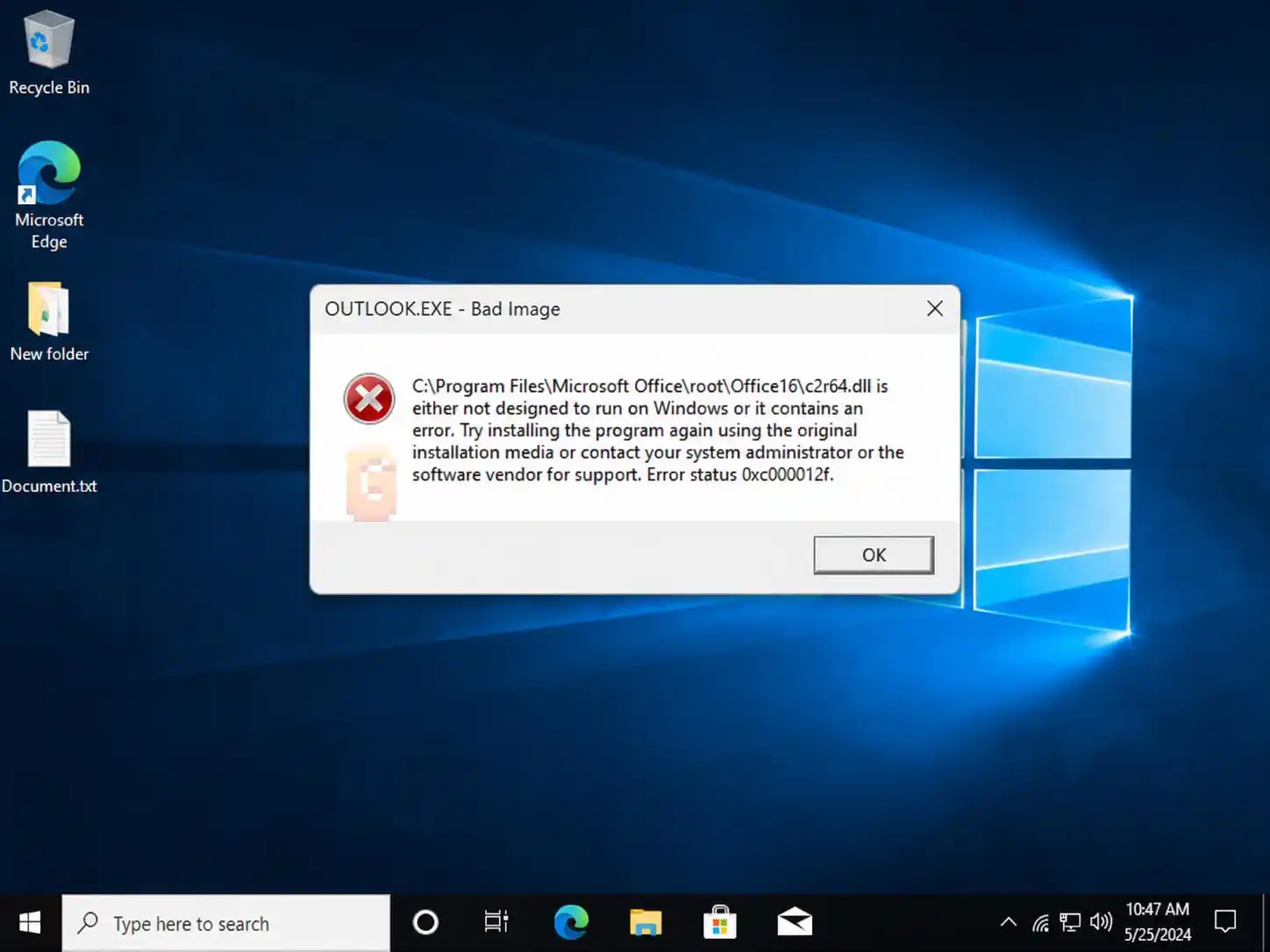
If you’ve encountered the message “c2r64.dll is either not designed to run on Windows or it contains an error,” you’re usually dealing with a Microsoft Office installation problem rather than a Windows problem.
In most cases, the issue is caused by corruption within Microsoft’s Click-to-Run platform, which Office uses for installation, updates, activation, and application launching.
The good news is that the problem is usually repairable without reinstalling Windows.
What Is c2r64.dll?
c2r64.dll is a Microsoft Office component used by the Click-to-Run system.
Office applications such as Word, Excel, Outlook, and PowerPoint rely on Click-to-Run technology to manage updates, licensing, and application deployment. If c2r64.dll becomes corrupted, Office may fail to start or display various “Bad Image” errors.
Common error messages include:
- c2r64.dll is missing
- Failed to load c2r64.dll
- c2r64.dll is either not designed to run on Windows or it contains an error
- Error Status 0xc000012f
What Does Click-to-Run Do?
Click-to-Run is Microsoft’s modern Office delivery platform. It handles:
- Office installation
- Office updates
- Activation and licensing
- Streaming application components
- Application startup services
When Click-to-Run becomes damaged, Office can no longer properly load files such as c2r64.dll.
Why Does the c2r64.dll Error Happen?
The error usually appears because Office files have become corrupted. Common causes include:
- Interrupted Office updates
- Failed Office upgrades
- Damaged Click-to-Run files
- Antivirus interference
- Disk corruption
- Incomplete Office repairs
- System file corruption
The important thing to understand is that the DLL itself is rarely the root cause. Instead, it is often a symptom of a larger Click-to-Run problem.
How Do You Fix “c2r64.dll Is Either Not Designed to Run on Windows or It Contains an Error”?
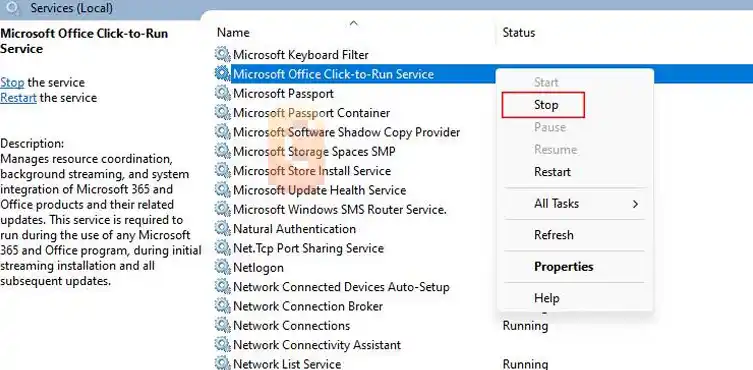
The most reliable solution is rebuilding the Click-to-Run environment.
While Quick Repair and Online Repair can work, they sometimes reuse damaged files. Rebuilding Click-to-Run forces Office to create a completely fresh runtime environment.
Step 1: Stop the Click-to-Run Service
Press:
Windows + R
Type:
services.msc
Locate:
Microsoft Office Click-to-Run Service
Then:
- Stop the service
- Temporarily set Startup Type to Disabled
Step 2: Rename the ClickToRun Folder
Navigate to:
C:\Program Files\Common Files\Microsoft Shared\
Locate the folder named:
ClickToRun
Rename it to:
ClickToRun.old
Do not delete the folder immediately. Renaming it provides an easy rollback option if needed.
Step 3: Run Office Setup
Launch your Office installer. Since the original ClickToRun folder no longer exists, Office is forced to:
- Create a new ClickToRun folder
- Download fresh files
- Rebuild the Click-to-Run infrastructure
- Replace corrupted components, including c2r64.dll
Office should now launch normally.
After the repair, do a full shutdown rather than a restart — Windows 11 handles them differently, and a cold boot ensures the Click-to-Run service initialises fresh.
Why This Fix Works Better Than a Standard Repair
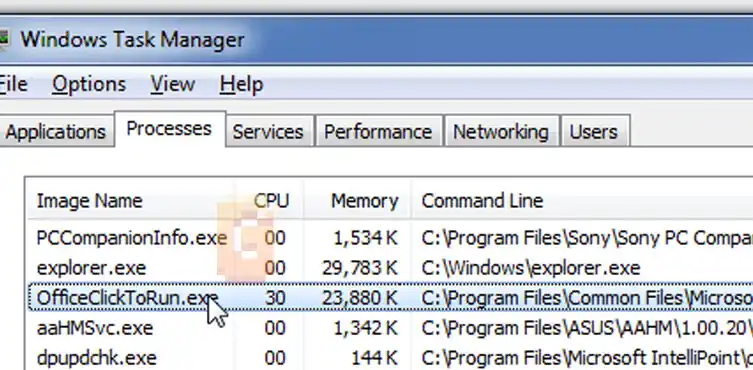
Standard Office repairs often attempt to preserve existing files. That approach works for minor corruption but may fail when the Click-to-Run environment itself is damaged. Renaming the ClickToRun folder removes Office’s ability to reuse potentially corrupted files.
In effect, you’re forcing Office to build a brand-new runtime environment from Microsoft’s installation source
Should You Download c2r64.dll Separately?
No.
Downloading DLL files from third-party DLL websites is not recommended, and it’s worth understanding exactly why this matters here.
The file must match your specific Office version and Click-to-Run build precisely. A mismatched version can trigger new startup errors on top of the one you’re already troubleshooting.
There’s a second, less obvious risk. Many of the sites that offer “free c2r64.dll downloads” also push unrelated software alongside the file, often marketed as a “PC repair” or “system optimizer” tool that claims to fix the error automatically. These bundled tools are unnecessary at best, and at worst they install additional unwanted software on your system. Legitimate Office troubleshooting never requires installing a third-party repair utility.
The only safe source for c2r64.dll is the Microsoft Office installer itself, through Online Repair or a clean reinstall.
Additional Troubleshooting Steps
If rebuilding Click-to-Run does not solve the issue, Windows corruption may also be involved. Run the following commands from an elevated Command Prompt:
sfc /scannow
Followed by:
DISM /Online /Cleanup-Image /RestoreHealth
These tools can repair damaged Windows components that may interfere with Office.
Quick Summary
The error “c2r64.dll is either not designed to run on Windows or it contains an error” is typically caused by a corrupted Microsoft Office Click-to-Run installation.
The most effective fix is stopping the Click-to-Run service, renaming the ClickToRun folder, and reinstalling or repairing Office so it rebuilds all Click-to-Run components.
Downloading a replacement c2r64.dll file is not recommended because Office requires a version that matches its exact installation build.
FAQ
What is c2r64.dll?
c2r64.dll is a Microsoft Office Click-to-Run component used for Office installation, updates, activation, and application startup.
Is c2r64.dll a Windows system file?
No. c2r64.dll belongs to Microsoft Office, not Windows itself.
Can I download c2r64.dll from a DLL website?
No. The safest source is the Office installer because the file must match your Office build version.
What causes Error 0xc000012f with c2r64.dll?
The error usually indicates file corruption, version mismatch, or damage within the Office Click-to-Run environment.
Does reinstalling Office fix the problem?
Reinstalling often resolves the issue, but if the error persists after a standard repair, a manual uninstall using Microsoft’s official removal tool followed by a clean reinstall is typically required.
Conclusion
The “c2r64.dll is either not designed to run on Windows or it contains an error” message is most commonly linked to a damaged Microsoft Office Click-to-Run installation.
The most effective fix is:
- Stop the Click-to-Run service
- Rename the ClickToRun folder
- Run Office Setup
- Allow Office to rebuild the environment
This approach forces Office to replace damaged components and often succeeds when standard repair methods fail.
If the error persists afterward, run SFC and DISM scans to rule out Windows corruption. From there, you can move on to deeper Office troubleshooting with a clean foundation already in place.
If Kaspersky’s Self-Defense is also blocking your browser connections, the same conflict causes the ERR_CONNECTION_RESET error — the fix follows the same principle.
References
- Microsoft Q&A — c2r64.dll error and Click-to-Run troubleshooting discussion: https://learn.microsoft.com/en-us/answers/questions/5813011/c2r64-dll-is-either-not-designed-to-run-on-windows
- Microsoft Support — Repair an Office application (Online Repair steps and official uninstall tool): https://support.microsoft.com/en-us/office/repair-an-office-application-7821d4b6-7c1d-4205-aa0e-a6b40c5bb88b
- Microsoft Support — How to manually uninstall Office: https://support.microsoft.com/en-us/office/manually-uninstall-office-4e2904ea-25c8-4544-99ee-17696bb3027b
- Microsoft Support — Using System File Checker in Windows: https://support.microsoft.com/en-us/windows/using-system-file-checker-in-windows-365e0031-36b1-6031-f804-8fd86e0ef4ca